
Skip to content

Every document,one engine.

Not another shared drive. Santre captures invoices, contracts, work orders and employee records once, reads them, files them by your rules and finds them in seconds for the people allowed to see them.

3 documents
  • Invoice HS-20417Halden Supply Co.Sep 14, 2026
  • Purchase order PO-88213Halden Supply Co.Aug 29, 2026
  • Receiving report RR-5530Halden Supply Co.Sep 11, 2026

Balance due 4,812.44 CAD · PO-88213 · due Oct 14, 2026

Try
  1. CapturePhone or scanner
  2. ReadValues proposed
  3. FileBy your rules
  4. FindFor the people allowed

Real product screens. Every company, person, number and amount shown is fictional sample data.

Paperwork lives everywhere.

Finance, operations, HR, legal and projects each do their jobs. The paperwork each one produces ends up in a different place: a cabinet, a mailbox, a shared folder, a scan on someone's desk. The people and the tools are fine. What's missing is one place that holds the record.

Departments that produce paper every day

  • FinanceStatement

  • Accounts payableSupplier invoice

  • OperationsWork order

  • HREmployee record

  • LegalContract

  • ProcurementPurchase order

  • ProjectsDrawing

  • Field serviceSign-off sheet

Where it usually ends up

  • Filing cabinets and binders

  • Staff and department mailboxes

  • A shared folder

  • Scanner and copier output

  • Exports and printouts from business systems

One controlled path.

Every document

  • enters the same way

  • is read the same way

  • is filed where the right people can find it

  1. FinanceStatement

  2. LegalContract

  3. ProcurementPurchase order

  4. HREmployee record

  5. ProjectsDrawing

  6. Field serviceSign-off sheet

  7. OperationsWork order

  8. Accounts payableHS-20417

Everything enters one engine.

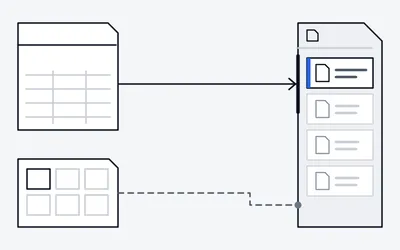
Scanners, mailboxes, browser uploads, phones and the API feed the same intake. Santre's document engine reads each file, applies your rules and keeps one searchable record.

  1. Scanners and copiers

    Configured by Santre

    Scan to a watched folder. Separator sheets split a batch.

  2. Email inbox

    Configured by Santre

    Mail rules pull invoices and other attachments from a mailbox.

  3. Browser upload

    Native

    Drag files into the web app from any desk.

  4. Phones

    Native

    Photograph or upload a document from a phone.

  5. API

    Native

    Other systems post files. Each connector is configured per project.

Santre's document engine

One intake. One index. One set of rules.

  1. Read

    Native

  2. Recognise and classify

    ProposedConfigured by Santre

  3. File

    Configured by Santre

  4. Index

    Native

  5. Permission

    Configured by Santre

  6. Search-ready

    Native

Text and page order

Invoice · rule-based type

Finance / Accounts payable

HS-20417 ready to find

Owner and department group set on arrival

Full-text search across every page, title and field

Ready to find

  1. RR-5530Receiving report
  2. PO-88213Purchase order
  3. E-1043Employee record
  4. OF-3318Invoice

Where it shows up

  1. Search

    HS-20417Invoice HS-20417Halden Supply Co. · Finance / Accounts payable
  2. Folders

    Finance
    Accounts payable
    Invoice HS-20417
    Statements
  3. Permissions

    Invoice HS-20417
    Finance team: Can open this invoiceViewEdit
    Operations teamNo access

Intake lanes

Paper and scans

Department scannersNetwork scan foldersPhone capture

Email

Supplier invoicesShared mailboxesCorrespondence

Business systems

Exports and reportsFiles posted via APIConfigured connectors

People

Browser uploadPhone uploadDrag and drop

Received

  1. HS-20417InvoiceSupplier invoices
  2. RR-5530Receiving reportDepartment scanners
  3. PO-88213Purchase orderFiles posted via API
  4. WO-7731Work orderBrowser upload
  5. MPG-2291ContractShared mailboxes
  6. A-201 Rev CDrawingPhone capture
  7. PL-0926StatementExports and reports
  8. E-1043Employee recordDrag and drop

From paper to search.

Follow invoice HS-20417 through six visible stages, from page to structured record.

Sample values from a fictional invoice. Today staff enter or confirm the amount, invoice number, PO number, due date and bill-to; reading them off the page is proposed. Field names are set with you during setup.

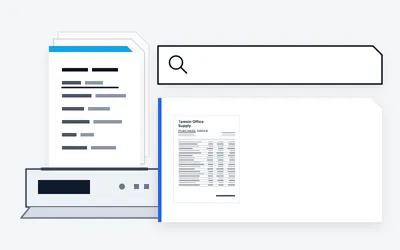
NativeType part of a supplier name or a PO number and get ranked results from inside every page.

Halden Supply Co.

Industrial and office supplies

Invoice

Invoice: HS-20417

Date: Sep 14, 2026

Due: Oct 14, 2026

Details

Terms: Net 30

Currency: CAD

Bill to

Larkspur Group

410 Mill Street, Riverbend, ON

Your PO: PO-88213

DescriptionQtyAmount
Archive storage boxes241,020.00
Document scanner supplies61,908.00
Heavy-duty shelving kit21,498.00
Delivery and handling1157.32

Subtotal4,583.32

Tax229.12

Total4,812.44

Balance dueTerms: Net 30
4,812.44 CAD

Notes

Please reference HS-20417 with payment.
Halden Supply Co. · Accounts receivable · invoice HS-20417

Page 1 of 1

Found by a search for “Halden”

The real product,not a mock-up.

Screens from Santre's document engine, configured by Santre and filled with fictional sample data.

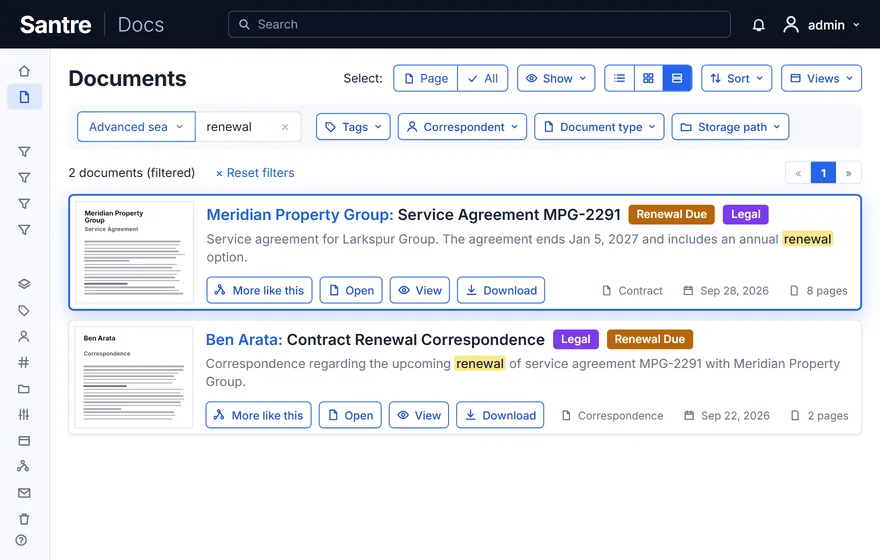
  • The search starts with the word renewal.
  • The contract and the letter appear together.
  • Matches are marked inside the document text.

Sample records only. Companies, people, numbers and amounts are fictional.

Search inside the paper. "Renewal" found inside a contract and a letter about it. The search starts with the word renewal. The contract and the letter appear together. Matches are marked inside the document text.

"Renewal" found inside a contract and a letter about it.

Also in the product

Each team sees its own records.

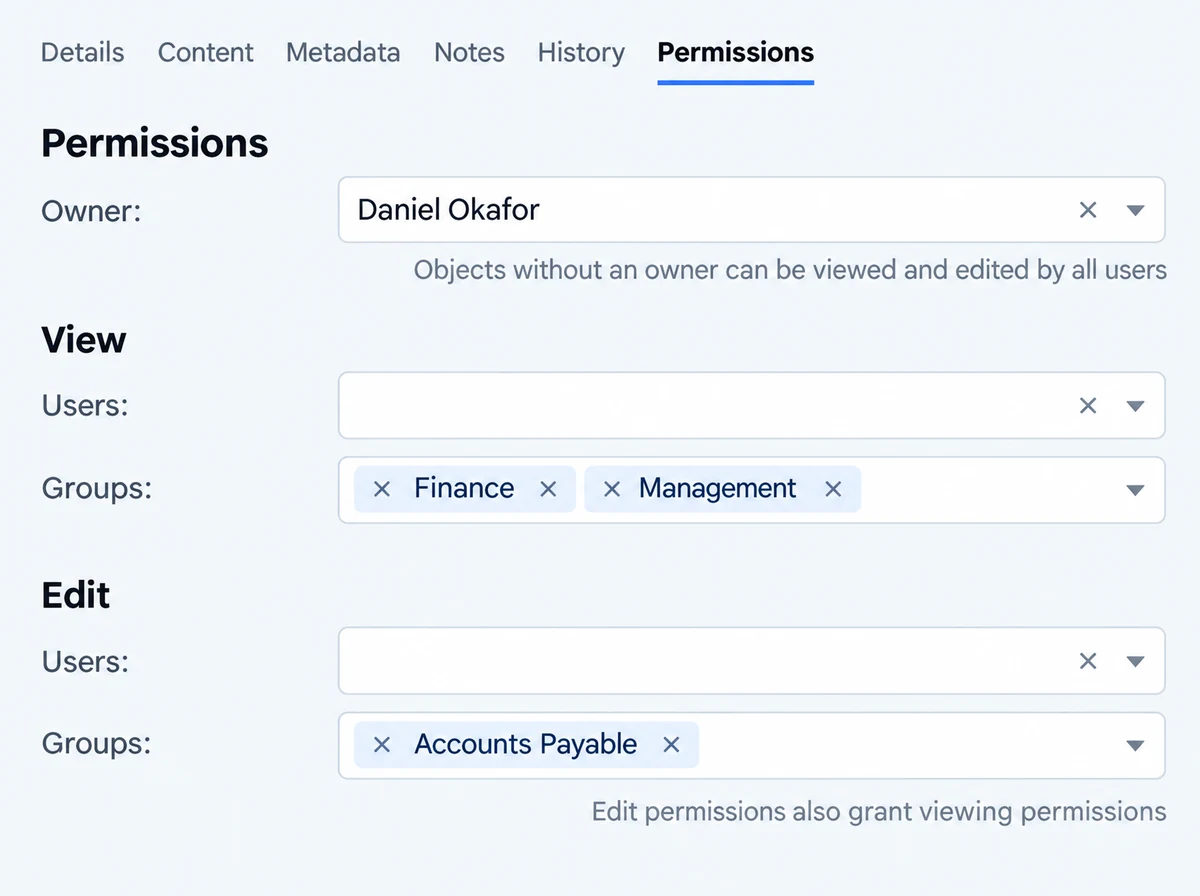
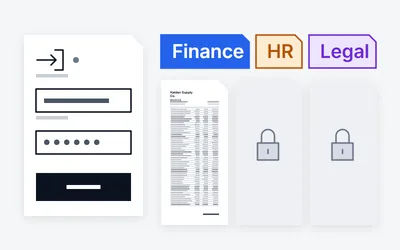
Every document has an owner, and the owner decides who can view or edit. Departments see their own work; management sees what it needs; HR records stay with HR.

Choose a role

Example role design. Final groups are agreed with each department lead.

What Finance sees

1 open · 4 view only · 4 hidden

  • View onlyInvoiceHS-20417Owner Daniel OkaforBalance due 4,812.44 CAD
  • View onlyInvoiceOF-3318Owner Daniel OkaforFrom Ostrander Freight
  • OpenStatementPL-0926Owner Mira CastellFrom Pellworth Leasing
  • View onlyPurchase orderPO-88213Owner Ben ArataMatched to invoice HS‑20417
  • HiddenReceiving reportHidden from Finance
  • HiddenWork orderHidden from Finance
  • HiddenDrawingHidden from Finance
  • View onlyService agreementMPG-2291Owner Theo LindqvistTerm ends Jan 5, 2027
  • HiddenEmployee recordHidden from Finance
Permissions tab of an invoice: owner Daniel Okafor, view access for the Finance and Management groups, edit access for the Accounts Payable group.
Finance is listed under View groups on HS‑20417.Owner, view and edit on a single invoice.

Groups and folders

Illustrative
  • FinanceView InvoicesEdit StatementsView Purchase ordersView Contracts

Who opened what: a log of every opening is a proposed extension.Proposed

The change history records edits. It is not a log of every time a file is opened or downloaded.

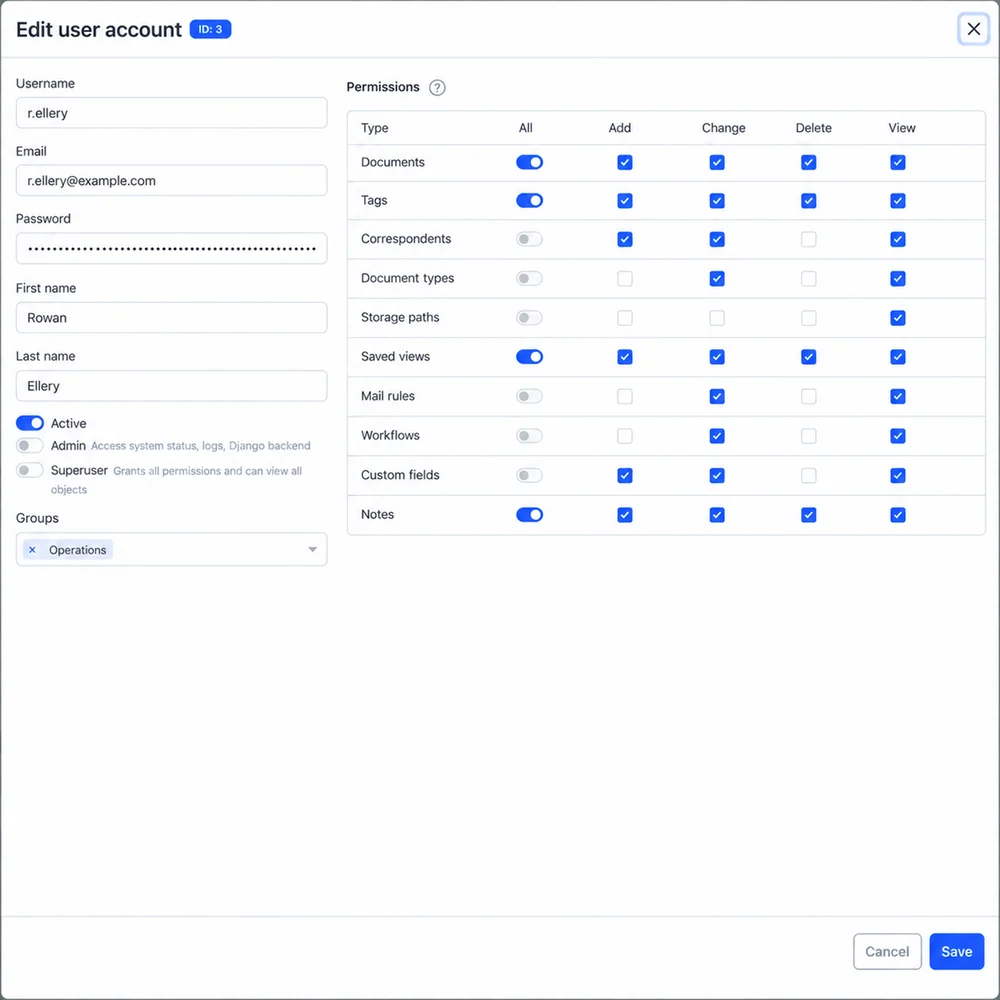
  • Users and groups. A named account for every employee, grouped by department. Native
  • Owner, view, edit. Every document has an owner, plus the users and groups who may view or edit it. Native
  • Two-factor sign-in. Codes from any authenticator app, with recovery codes. Native
  • Single sign-on ready. OIDC sign-in through the identity provider your organisation chooses. Configured by Santre
  • Permissions set on arrival. Filing rules assign the owner and department group as each document comes in. Configured by Santre
  • Change history. Edits to a document and its fields are recorded with who and when. Native

The paper original still has a home.

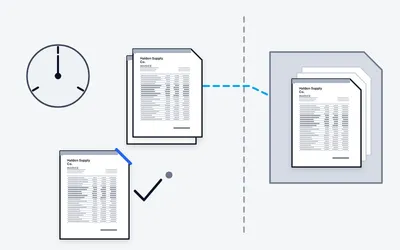
Barcode cover sheets split a stack of scanned pages into separate documents and link each one to its archive number. Proposed A sign-out log records who took the paper original, when, and where it went back.

Archive numbers are built into the engine. The cover sheets and the sign-out log are a proposed Santre extension, built with you.

HS-20417 · Halden Supply Co.

ASN020417

Scan read · Current location

Checked in 14:32, returned to the finance records cabinet

History · ASN 020417

  1. 08:41Label printed · Accounts payable office
  2. 09:12Checked out · D. Okafor, accounts payable
  3. 11:30Moved · Finance review desk
  4. 14:32Checked in · Finance records cabinet

Sample events. Names and numbers are fictional.

On infrastructure you control.

Santre runs the engine on-site, in a private cloud you control directly, or as a hybrid of the two. There is no shared service. Copies leave only as protected backups, to a location you choose.

Infrastructure stack

Configured by Santre
  • Your networkReached from the office, the site and the field

    People reach the engine over your own network or a private connection that you control. There is no shared service in between.

  • Application hostWhere the engine does its work

    An application host that you control runs the engine, its database, the search index and the text-reading workers. Santre sets it up and looks after it.

  • Document storageWhere the files live

    Original files are kept unchanged next to their searchable copies, on encrypted disks in your building or your private cloud.

  • Scheduled backupsCopies taken on a schedule

    Files, the database and the search index are backed up together on a schedule agreed with you.

  • Offsite copyA copy that lives somewhere else

    A backup copy goes to a second location that you control, agreed during the design. Restores are tested on a schedule.

Recovery targets are set and tested during the pilot, not promised up front.

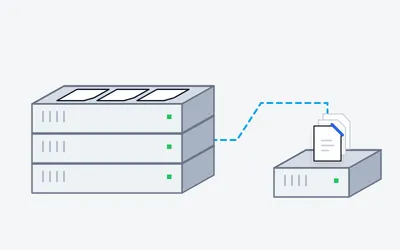
Abstract illustration of the infrastructure stack, not a model of any specific hardware.

How the files are protected

Halden Supply Co.Invoice HS-20417PDFPOPO-88213Bill toLarkspur GroupTotal4,812.44 CAD
  • Infrastructure you controlOn-site, a private cloud under your direct control, or a hybrid. Never a shared service.
    Configured by Santre
  • Encrypted disksFiles are stored on encrypted disks. The application itself does not encrypt individual files.
    Configured by Santre
  • Encrypted connectionsPeople and systems reach the engine over encrypted connections set up by Santre.
    Configured by Santre
  • Roles and permissionsEach group sees only the areas it needs, and every document has an owner plus view and edit rights.
    Native
  • Change historyEvery document records who edited what, and when. Views and downloads are not logged.
    Native
  • Scheduled backupsFiles, database and index are backed up together, with a copy sent offsite.
    Configured by Santre
  • Restore verificationRestores are rehearsed on an agreed schedule and the result is written down.
    Configured by Santre
  • Full exportEvery file and its metadata can be exported in a documented format. Nothing is locked in.
    Native

Filed in a folder tree people can read

  1. Finance
  2. Invoices
  3. 2026
  4. Halden Supply Co. invoice.pdf

Folder rules are configured by Santre per department.

Halden Supply Co.Invoice HS-20417PDFPOPO-88213Bill toLarkspur GroupTotal4,812.44 CAD
The invoice that rule just filed.

Beside the systems you run.

The engine does not replace your accounting, ERP or line-of-business systems. They stay the systems of record; the engine becomes the place their paperwork is kept, read and found.

What each label means

File / Email Intake
Arrives through a watched folder or an intake mailbox.
API Ready
The engine side is ready; the other system needs wiring.
Proposed Connector
A direct link Santre proposes to build for you.

Accounts payable mailbox

Intake mailbox

  • Invoice HS-20417

    Halden Supply Co.

  • Invoice OF-3318

    Ostrander Freight

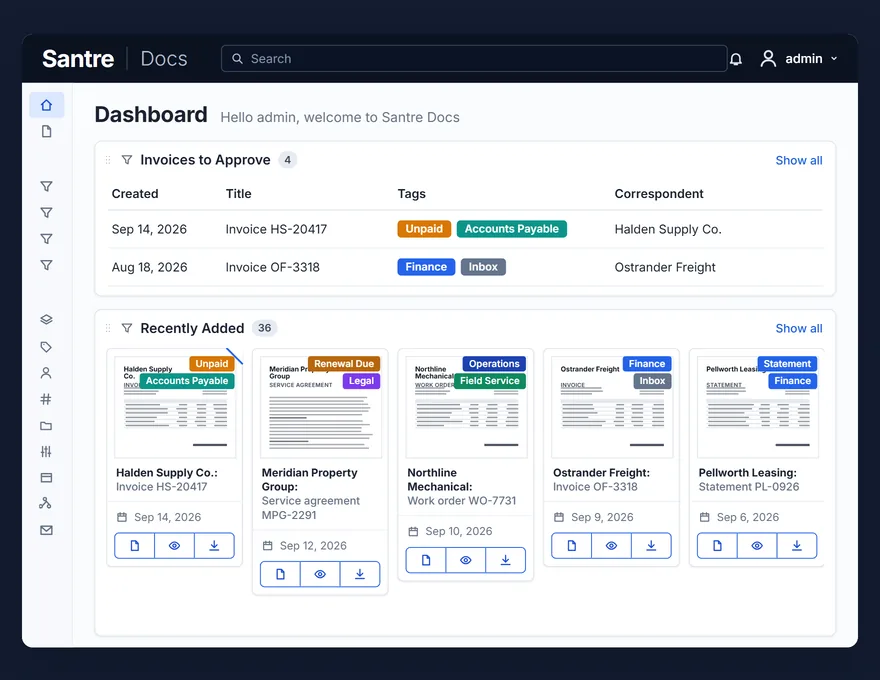
Invoices to Approve

Saved view

  • Invoice HS-20417

    Accounts PayableFinance

  • Invoice OF-3318

    Ostrander Freight

Document engine

  • Reads the text
  • Files it by rule
  • Indexes it for search
  • Teams files
  • Word documents
  • Excel workbooks
  • Outlook mailboxes
  • SharePoint libraries
  • OneDrive folders
  • QuickBooks
  • Oracle NetSuite
  • SAP Concur
  • Sage
  • Xero
  • SAP
  • Microsoft Dynamics 365
  • FreshBooks
  • HubSpot
  • Salesforce
  • Zoho
  • Stripe
  • Lightspeed
  • Shopify
  • Square
  • Clover
  • Google Workspace files
  • Gmail mailboxes
  • Google Drive folders
  • PBS Systems
  • CDK Global
  • Dealer-FX
  • DealerSocket
  • AutoTrader
  • VinSolutions
  • Dealertrack
  • Xtime
  • Dealer.com
  • Cox Automotive
  • Dayforce
  • Payworks
  • ADP
  • Workday
  • Docusign
  • Adobe Acrobat Sign
  • Dropbox
  • Box
  • ServiceNow
  • Zendesk
  • Jira
  • Slack

In the map, moving lines mark paths documents can take today (File / Email Intake). Still lines are ready or proposed.

How one document travels

Application marks show interoperability only, not endorsement or partnership.

  1. System and document

    Halden Supply Co. emails an invoice to the accounts payable mailbox

  2. Engine

    Text read, typed as Invoice

  3. Workflow

    Tagged Accounts Payable, owner Finance

  4. Searchable record

    Filed for Finance, listed in Invoices to Approve

AI has to earn its place.

It comes after the paperwork is captured, classified and permissioned, not instead of it. Then an assistant could answer questions, and every answer would show where it came from.

Example questions

Asked by: Operations manager · Can view Legal and Operations contracts

When does the Meridian service agreement renew, and what notice do we need to give?

Searched only the documents this person can open

The initial term of service agreement MPG-2291 ends on January 5, 2027. To stop it renewing, 60 days’ written notice is due by November 6, 2026.

Evidence

  1. TermInitial term ends January 5, 2027.MPG-2291
  2. RenewalRenews for 12 months unless notice is given before the end date.MPG-2291
  3. NoticeEither party may end the agreement on 60 days’ written notice to the named contacts.MPG-2291
  4. Notice deadlineCounted back 60 days from January 5, 2027: November 6, 2026.

What this answer did not cover

The deadline is a count from the end date, not a date printed in the agreement. Confirm the notice clause on page 7, and who the notice goes to, before acting.

Sources

  • Service agreement MPG-2291, Meridian Property Group · pp. 2, 7, 8

Answers would be limited to documents the signed-in person may open, through the proposed Santre retrieval layer.

What the AI layer is made of.

Native

Built into the document engine today.

  • Document search

    Full-text search across every page, title and field.

  • Similar-document discovery

    Find documents like the one you are looking at.

  • Learning classifier

    Suggests type, labels and sender from how your teams already file, on your own server. Nothing is sent to an outside service, and no vendor model is trained on your documents.

Proposed

Planned with you; not yet built or installed.

  • Optional, off by default

    Language-model features would be switched on only when you decide.

  • Local model by default

    Runs on hardware you control. A remote provider only if you choose one, and then it is named.

  • Only what you may open, with sources

    Answers drawn only from documents the person asking may open, filtered by the proposed Santre retrieval layer before the model sees anything. Each answer names the documents and pages it used, and says what it could not see.

  • AI suggestions

    Suggested title, type and fields for each new document. A person approves.

  • Reading values off a page

    Totals, dates and invoice numbers read from the page without a template.

  • Search by meaning

    A local index that finds documents by meaning, not only by keyword.

  • Document chat

    Questions about one document or a set of them, answered with links back to the files.

  • People make the call

    The assistant drafts and points. People approve, sign, send and delete.

Future

A later possibility, not part of the first rollout.

  • Agents

    Narrow, read-only checks, such as contracts inside their notice window, that hand a list to a person.

Illustration with fictional documents and sample dates. It is not a recording of a running system. The assistant is proposed and is not part of the current build; agents are a future possibility.

What comes with Santre.

The software is one part. Santre designs the records, sets up the system on infrastructure you control, connects your applications and keeps it running.

Access and sign-in · IT and Management

  • Sign in with Microsoft 365 accounts
  • Department groups, per-document permissions and two-factor sign-in
Already on a phoneThe engine works in a phone browser today, so teams can check and file documents away from the desk.
Phone screen with invoice HS-20417 from Halden Supply Co. open, showing its title, archive number, created date and sender.
All capabilities and limitsThe honest limits first, then every capability with its status today.

The honest limits.

What Santre does not do today, or does only in part.

  • Setup takes configuration work

    Document types, rules and permissions are designed with each team before go-live. That needs time from your people as well as ours.

  • AI features are proposed, not shipping

    Suggestions, document chat and search by meaning are proposed. Today the only AI that runs is the built-in learning classifier.

  • Reading values off a page is proposed

    Totals, dates and invoice numbers are not read from the page automatically yet. Rules file by words and patterns; people confirm field values.

  • Paper still needs scanning

    Someone still feeds paper through a scanner or copier. Handwriting is not recognised.

  • No built-in approval inbox

    Approvals run as review queues built from labels, saved views and notifications. Multi-step approval screens are proposed.

  • No Outlook or Teams add-in

    Mail is filed through a shared mailbox and rules; Teams receives notices by webhook.

  • Edits are logged, views are not

    The change history records who edited what. Viewing and downloading are not logged.

  • Not a records-management system

    Retention runs on date-based rules. There is no legal hold or retention lock.

  • No forms builder or visual designer

    Web forms reach the engine through the API. Workflows are trigger-and-action rules, and Office files are not co-authored in place.

  • No connector catalogue

    Each business application is connected through the API or a connector configured for you, not picked from a marketplace.

Every capability, labelled.

Each row carries its status today. Nothing is rounded up; where sources disagree, the lower status is shown.

Capture
CapabilityStatusNote
Scanner and copier intake through watched network foldersConfigured by Santre
Shared intake mailboxes with rules by sender, subject and attachmentWorks with Microsoft 365 mail.Configured by Santre
Drag-and-drop upload from any browserNative
Capture from a phone or tablet in the browserWeb upload, not a native app.Native
Searchable text (OCR) on every page, on your own serverEnglish and French recognition is configured per site.Native
Archival PDF/A copy kept next to the unchanged originalNative
Batch splitting by separator sheet or barcodePDF and TIFF.Configured by Santre
Word and Excel files converted and indexedConfigured by Santre
Password-protected PDFs from known partners unlocked and indexedConfigured by Santre
Duplicate scans detected and flaggedNative
Organise
CapabilityStatusNote
Document types designed around your business: invoice, purchase order, contract, work order, employee recordConfigured by Santre
Nested labels up to five levels, for example Finance > Accounts PayableNative
Custom fields: text, number, date, money, list choice and links between documentsNative
Every document linked to who it came from or went toNative
Folder and file-naming scheme designed for youConfigured by Santre
Saved views and team dashboardsNative
Bulk edits to labels, fields, owners and permissionsNative
File versions kept under one recordNative
Split, merge, rotate and reorder PDF pages in the browserNative
Notes on any documentNative
Archive numbers for paper originalsNative
Secure
CapabilityStatusNote
Per-document permissions: owner, view and editNative
Department groups and roles with inherited permissionsConfigured by Santre
Permissions and owner set the moment a document arrivesConfigured by Santre
Change history: who edited what, and whenEdits only; views and downloads are not logged.Native
Two-factor sign-in with an authenticator app and recovery codesNative
Single sign-on with Microsoft 365Configured by Santre
Expiring share links, including multi-document bundlesNative
Kept on encrypted disks on your own hardwareThe application does not encrypt individual files.Configured by Santre
File integrity checks against checksumsNative
Security event monitoring of the document systemOptional, separate Santre service.Proposed
Workflow and automation
CapabilityStatusNote
Rule-based filing and matching by words, phrases, patterns and senderConfigured by Santre
Rules that fire on arrival, on change or on a scheduleConfigured by Santre
Date-based reminders, for example 60 days before a contract endsConfigured by Santre
Review queues: Invoice > Finance > ApprovalBuilt from labels, saved views, permissions and notifications.Configured by Santre
Purchase order, receiving report and invoice linked by PO numberThe engine links and lists; a person does the match.Configured by Santre
Email a document from its recordConfigured by Santre
Multi-step approvals with a task inboxProposed
Built-in e-signatureProposed
Automated exception reports across matched amountsFuture
Integrate
CapabilityStatusNote
Documented REST API to push, search, update and fetch documentsNative
Webhook and email actions when documents arrive or changeConfigured by Santre
Line-of-business systems (ERP, CRM, accounting, HR) via API / configured connectorA direct connector for a given system is proposed.Santre extension
Sign in with Microsoft 365 accountsConfigured by Santre
File from OutlookPartial today: forwarded mail is filed by mailbox rules; no add-in.Proposed
Microsoft Teams noticesPartial today: notices by webhook; no Teams app.Proposed
Protect
CapabilityStatusNote
On-site, private cloud or hybrid, all on infrastructure you controlConfigured by Santre
Backup plan, offsite copy and recovery tests on an agreed scheduleConfigured by Santre
Recycle bin with recovery for a set periodNative
Updates and security patches applied by SantreConfigured by Santre
Full export of files and metadataNative
Originals kept in standard formats (PDF, images, PDF/A)Native
Retention schedulesPartial: date-based rules that support your retention policy; not a records-management engine.Configured by Santre
AI
CapabilityStatusNote
Learning classifier suggests type, labels and sender from your own filing, on your serverNative
No vendor model is trained on your documentsNative
AI suggestions for title, type and fields; a person approvesProposed
Reading totals, dates and invoice numbers off a pageProposed
Document chat with citations, limited to what the asker may openThrough the proposed Santre retrieval layer.Proposed
Read-only agents that hand a list to a personFuture

Deploy your way.

Choose where the engine runs: on-site, in a private cloud you control directly, or a hybrid of the two. Then start with one department and add the rest at your own pace.

Then start with one team.

  1. PilotProposedStart with one team or department on its real paperwork.
  2. Add departmentsProposedEach department that joins gets the same foundation and its own permissions.
  3. Organisation-wideProposedSearch and filing rules work across every department that takes part.
  • Each department's documents are visible only to the people and groups it allows.
  • Permissions are applied the moment a document arrives, by intake rule.

Everything in your own building

Configured by Santre

The engine, the files, the database and the backups run on your premises. A copy goes to a second location you control.

Gains. Everything stays under your roof. Scanners and file shares on site reach the engine directly. Trade-offs. You provide the space and power for the equipment. Santre designs it and looks after it.

Departments

  • FinancePilot teamOne team proves the foundation on its own paperwork.
  • OperationsNext departmentJoins with the same rules and roles.
  • HRNext departmentJoins with a restricted archive of its own.
  • LegalNext departmentJoins with its contracts and renewals.
  • ProjectsNext departmentJoins with its drawings and reports.
Organisation-wide searchConfigured by SantreOne search across departments, for the people each department has granted access.

Where it runs

Your premises

  • Document engine
  • Files
  • Database
  • Search index

Your private cloud

Not used with this option

Second location you control

  • Backup copy

All three run on infrastructure you control. None of them is a shared service. The choice is made with you during design. Departments shown are examples. The order and pace are decided with you.

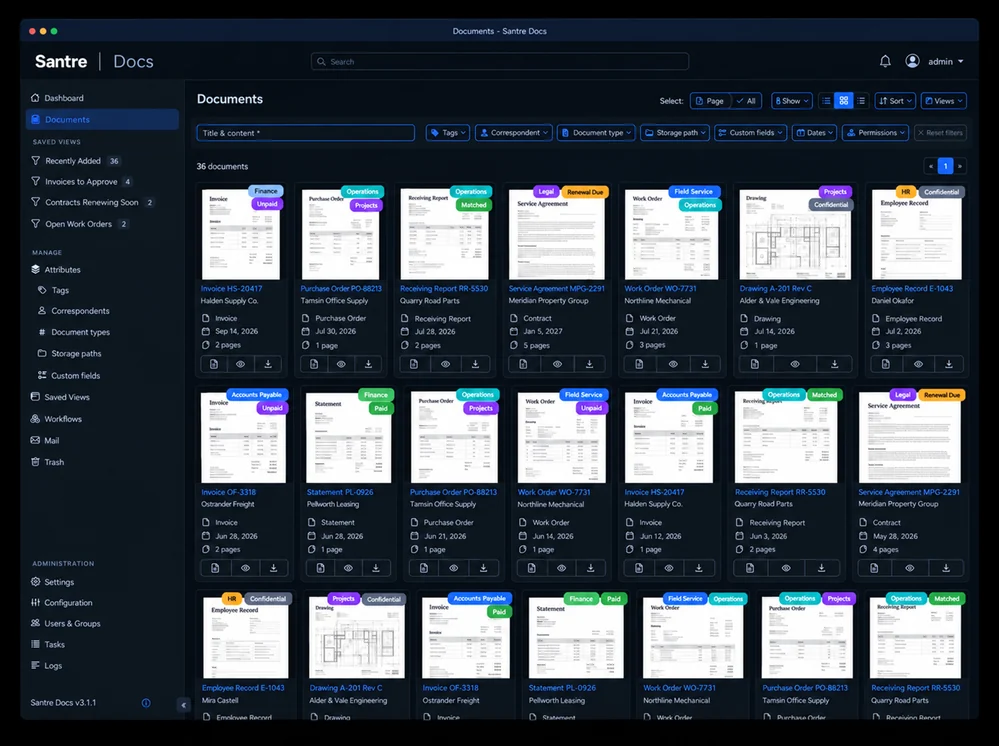
Dark-mode grid of business document cards with sender names, department tags and document types.

Startwiththedocuments.

A first rollout proves the foundation on your own paperwork: one intake, one record design, one deployment plan. AI comes after, on ground that is already solid.

  • InvoiceHS-20417
  • ContractMPG-2291
  • Work orderWO-7731
  • Purchase orderPO-88213
  • DrawingA-201
  • StatementPL-0926
  • Employee recordE-1043
  • Receiving reportRR-5530

What a first rollout covers.

  1. Intake

    Your scanners and one shared mailbox feeding the engine.

    Configured by Santre
  2. Record design

    Document types, business fields and tags for your first departments.

    Configured by Santre
  3. Access

    Department groups, document owners and two-factor sign-in.

    Native
  4. Deployment

    On-site, private cloud or hybrid, with backups and a tested restore.

    Configured by Santre
  5. Review

    A walk-through with department leads before anything expands.

    Proposed